
Die REST API ist die zentrale Schnittstelle für die Interaktion mit OpenSearch und Elasticsearch. Sie ermöglicht sowohl administrative Aufgaben als auch die Durchführung von Such- und Indexierungsoperationen.
Die grundlegende Struktur einer API-Anfrage folgt diesem Schema:
Die API unterstützt folgende HTTP-Methoden:
Abrufen von Informationen und Durchführung von Suchanfragen:
# Dokument abrufen
GET /my-index/_doc/1

# Suche durchführen
GET /my-index/_search
{
  "query": {
    "match": {
      "field": "value"
    }
  }
}Erstellen neuer Ressourcen oder Durchführung komplexer Queries:
# Dokument erstellen (auto-generated ID)
POST /my-index/_doc
{
  "field1": "value1",
  "field2": "value2"
}

# Komplexe Suche
POST /my-index/_search
{
  "query": {
    "bool": {
      "must": [
        { "match": { "field1": "value1" }},
        { "range": { "field2": { "gte": 100 }}}
      ]
    }
  }
}Erstellen oder Aktualisieren von Ressourcen mit bekannter ID:
# Index erstellen
PUT /my-index
{
  "settings": {
    "number_of_shards": 3,
    "number_of_replicas": 1
  }
}

# Dokument mit spezifischer ID erstellen
PUT /my-index/_doc/1
{
  "field": "value"
}Löschen von Ressourcen:
# Dokument löschen
DELETE /my-index/_doc/1

# Index löschen
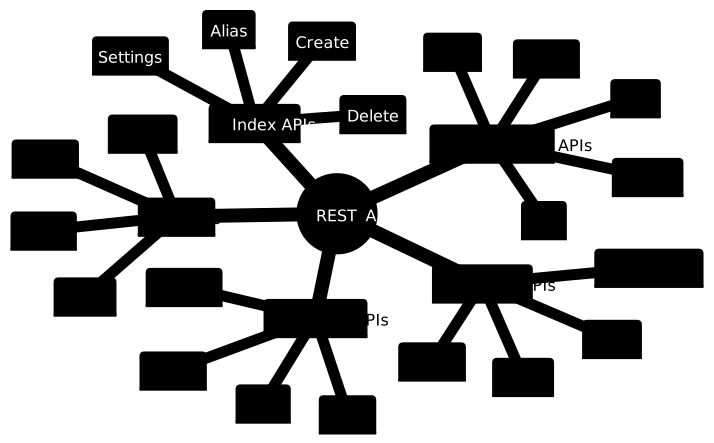
DELETE /my-indexDie REST API lässt sich u.a. in verschiedene funktionale Kategorien einteilen:
PUT /customers/_doc/1
{
  "name": "John Doe",
  "email": "john@example.com",
  "created_at": "2024-01-06T10:00:00Z"
}POST /customers/_update/1
{
"doc": {
"email": "john.doe@example.com"
}
}Bulk-APIs ermöglichen die effiziente Durchführung mehrerer Operationen in einem Request:
POST /_bulk
{"index":{"_index":"customers","_id":"1"}}
{"name":"John Doe","email":"john@example.com"}
{"index":{"_index":"customers","_id":"2"}}
{"name":"Jane Doe","email":"jane@example.com"}
{"update":{"_index":"customers","_id":"1"}}
{"doc":{"email":"john.doe@example.com"}}
{"delete":{"_index":"customers","_id":"2"}}GET /customers/_search
{
"query": {
"match": {
"name": "john"
}
}
}GET /customers/_search
{
"query": {
"bool": {
"must": [
{ "match": { "name": "john" }},
{ "range": { "created_at": { "gte": "now-1d" }}}
],
"should": [
{ "match": { "email": "example.com" }}
],
"minimum_should_match": 1
}
},
"sort": [
{ "created_at": "desc" }
],
"from": 0,
"size": 20
}PUT /customers
{
"settings": {
"number_of_shards": 3,
"number_of_replicas": 1
},
"mappings": {
"properties": {
"name": {
"type": "text",
"fields": {
"keyword": {
"type": "keyword"
}
}
},
"email": {
"type": "keyword"
},
"created_at": {
"type": "date"
}
}
}
}# Index-Einstellungen aktualisieren
PUT /customers/_settings
{
"index": {
"number_of_replicas": 2
}
}
# Index schließen
POST /customers/_close
# Index öffnen
POST /customers/_openGET /_cluster/healthResponse:
{
  "cluster_name": "opensearch-cluster",
  "status": "green",
  "timed_out": false,
  "number_of_nodes": 3,
  "number_of_data_nodes": 2,
  "active_primary_shards": 5,
  "active_shards": 10,
  "relocating_shards": 0,
  "initializing_shards": 0,
  "unassigned_shards": 0
}PUT /_cluster/settings
{
"persistent": {
"cluster.routing.allocation.disk.threshold_enabled": true,
"cluster.routing.allocation.disk.watermark.low": "85%"
}
}Die CAT APIs bieten eine übersichtliche, tabellarische Darstellung von Cluster-Informationen:
# Indices anzeigen
GET /_cat/indices?v

# Nodes anzeigen
GET /_cat/nodes?v&h=ip,heap.percent,ram.percent,cpu,load_1m,node.role,master,name

# Shards anzeigen
GET /_cat/shards?vDie API verwendet Standard-HTTP-Status-Codes:
Beispiel einer Fehlerantwort:
{
  "error": {
    "root_cause": [{
      "type": "index_not_found_exception",
      "reason": "no such index [missing-index]",
      "resource.type": "index_or_alias",
      "resource.id": "missing-index",
      "index_uuid": "_na_",
      "index": "missing-index"
    }],
    "type": "index_not_found_exception",
    "reason": "no such index [missing-index]"
  },
  "status": 404
}Diese REST API Grundlagen bilden das Fundament für die effektive Nutzung von OpenSearch und Elasticsearch. Die API bietet eine flexible und mächtige Schnittstelle für alle Aspekte des Systems, von einfachen CRUD-Operationen bis hin zu komplexem Cluster-Management.